Thank you!
You're in. Three steps and clip-engine is running on your PC.
-
Download clip-engine for Windows
Run the installer. It installs for your Windows account only, so it doesn't need an administrator.
Download for WindowsIf Windows shows "Windows protected your PC", click More info, then Run anyway.
-
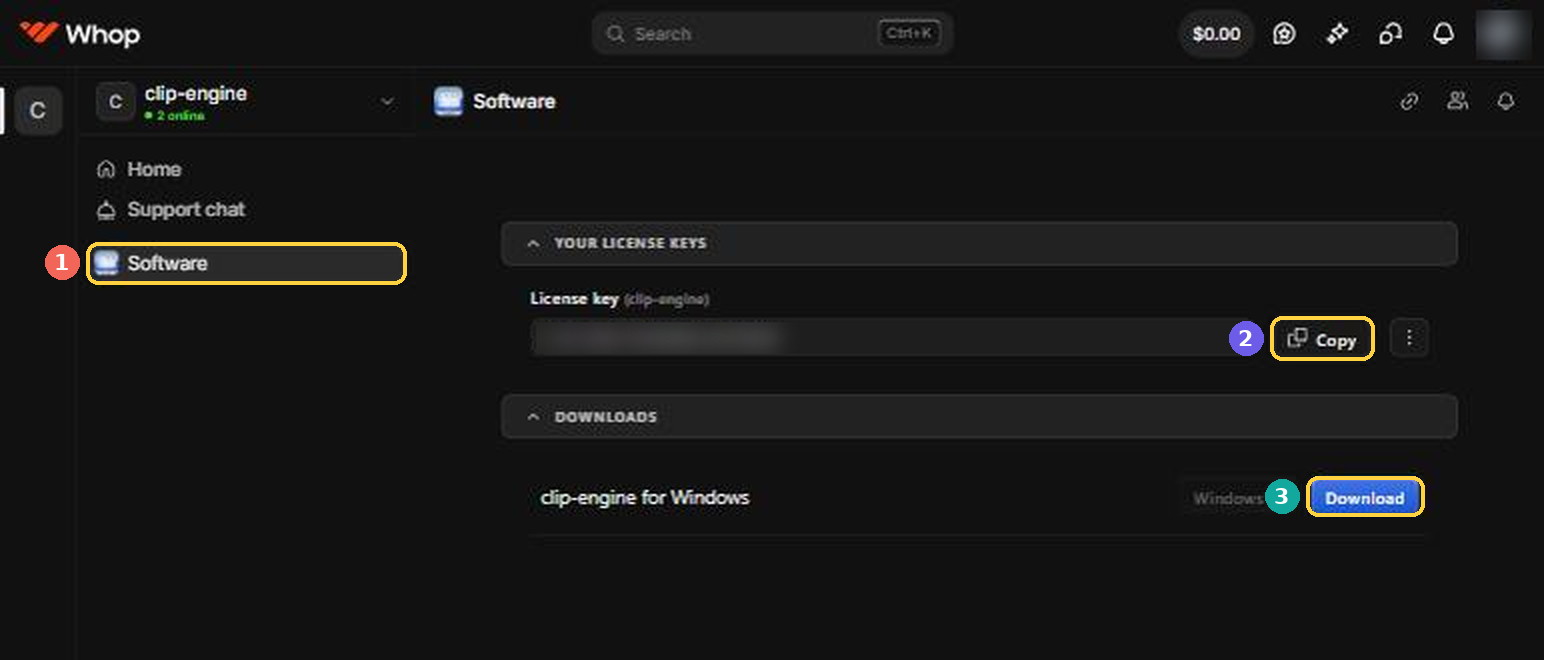
Copy your license key
In Whop, open clip-engine and click Software. Your key is there with a Copy button, next to the download.
 Open my Whop orders
-
Paste it and click Activate
clip-engine asks for the key the first time it opens. Then it walks you through the rest of the setup.
Good to know
- Each key works on 2 computers. To move it to a new PC, open Settings in the app and click Deactivate this PC on the old one.
- The app checks your key once a day and keeps working for 7 days without internet.
- On the Monthly plan, the first 7 days are free. Cancel in your Whop orders before the trial ends and you won't be charged.
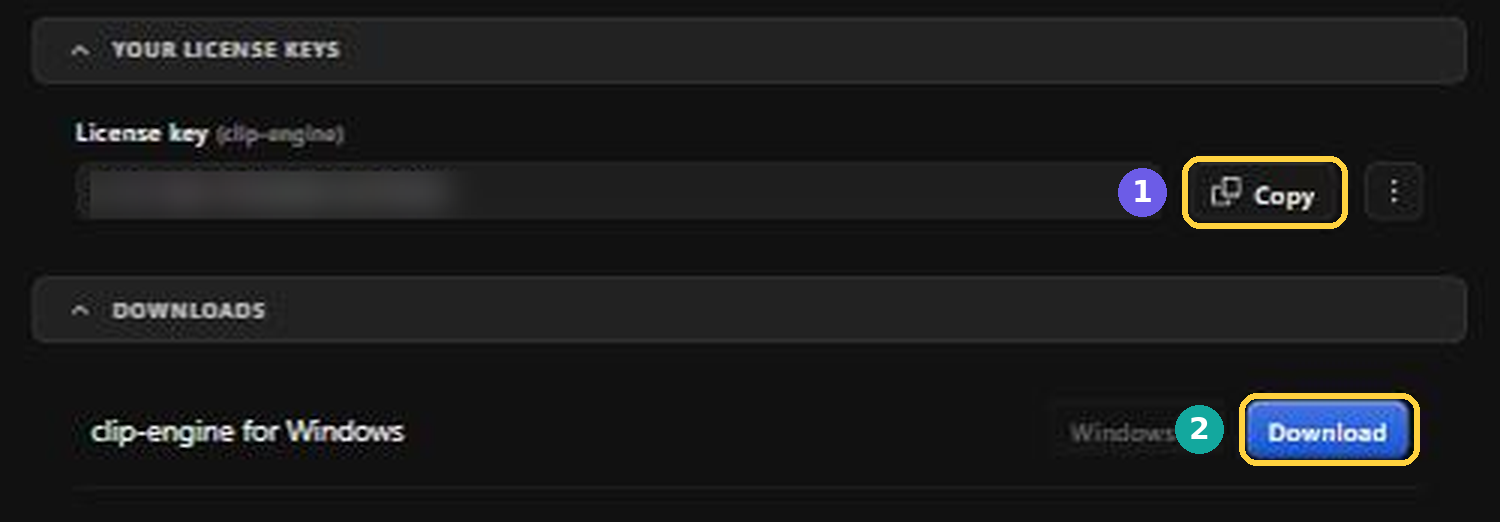
- Can't find your key or the download? Both are on the Software page of clip-engine in Whop:
- Questions? Write to moad.media121@gmail.com. Support replies within one business day.